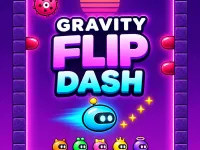
Gravity Flip Dash







Gravity Flip Dash takes the rhythm runner up the walls of a glowing crystal shaft. You play as Zip, a tiny blue robot that climbs on its own while you decide which wall to run along. The soundtrack sets the pace for the climb, with obstacles arriving on the beat and the action speeding up as the music does. The tutorial gives you room to try your first gravity flip and see what happens when a bar blocks the middle. Once you’re ready for a full run, the challenge is to see how high you can climb past spikes, saws, and bars.
Climbing to the Beat
Two Walls One Route
- Spikes on your wall: An open stretch on the opposite side gives you somewhere to go, provided there’s room to cross the shaft.
- Bars across the middle: If your wall is clear, you can keep climbing beside the bar and save your flip for the next opening.
- Saws ahead:Look at where the saw sits before choosing a wall, since it can be in the space you need to cross.
Why the Tempo Matters
In Gravity Flip Dash, the beat helps you judge when an obstacle will reach you. Its position tells you what to do with that time. If a bar comes first and spikes follow on your wall, you have two decisions to make in quick succession. You can stay beside the bar as it passes, then flip before you reach the spikes. When the music speeds up, the same pair of obstacles leaves less time between those moves. Spotting the spikes while you’re still beside the bar gives you time to plan the crossing.
How to Play
- Desktop flip. Click or press Space, W, S, Up, or Down.
- Desktop wall selection. Press Left or A to go left, or Right or D to go right.
- Mobile flip. Tap anywhere on the screen to switch walls.
- Desktop shortcuts. Press P to pause the run or M to mute the sound.


